Tutorial and controls
VECTOR — Bunny Hop
Bunny hopping comes down to one thing: never stand still on the ground. Every landing is a springboard, and the speed you carry in the air is the speed you bring into the next jump. Stop jumping and you lose it all and start again from zero.
Quick videos
Each video lasts a few seconds and shows one control. At the top you see the computer key, lit while it is held, and the mobile button that does the same. Tap a video to pause or resume.
On mobile — Android and iPhone
Play in landscape. Drag the stick on the left in the direction you want to go. Movement is continuous, with air control and speed gain while you jump. There is no need to alternate A and D like on a computer.
| Control | What it does |
|---|---|
| Stick | the center appears where you touch; drag to move. With Bhop off, letting go stops the character. |
| Drag on the right | controls the camera freely; the stick does not turn your aim |
| Bhop | moves forward and chains jumps with a gradual bonus, with no speed cap. The icon turns yellow while it is on. Tap again to turn it off. |
| Jump | boosted jumps; hold to repeat on every landing with Auto-bhop on |
| Nitro | hold to float — straight from the ground, no jump needed, or in the air — and let go to stop right away: the tank lasts 1 second and only drains while your finger is on the button. The icon turns yellow while active; the bar below it shows usage and recharging on the ground. Falling and returning to the course gives you a full tank. |
| Crouch / Use | tap to crouch and stay crouched; tap again to stand up. The button stays yellow while you are crouched. Use presses the map button in your crosshair. |
| Knife | the same button cycles through attacks: first tap, slash; second, a slash that spins the knife into a reverse grip; third, stab. Then the sequence repeats. |
| Camera and spray | at the top, next to Restart: the camera switches between first and third person, and the can applies your spray. |
The mobile profile raises the initial jump impulse by 20% and gives a small grace window to jump right after leaving a ledge or just before landing. The stick steers your turns, without the PC strafe technique. To stop the automatic forward movement, turn Bhop off and let go of the stick.
You control the camera by dragging on the right, including over Jump. Nitro and Crouch are activated by touch. There is no automatic camera turning. One finger at a time steers the view. When you pause, restart, respawn after a fall or switch apps, the controls and Bhop are turned off.
In Settings you see the options for your device: on mobile, sensitivity (starts at 2.0×) and graphics; on PC, mouse sensitivity. The game language is also in Settings. On mobile, Balanced and Sharper cap at 60 FPS; Battery saver caps at 30 FPS and lowers the resolution. Performance depends on the device and the map.
Mobile has its own leaderboard, separate from PC, because movement and jump reach are different. Set a nickname in Settings to show up with your name; without one, your run is listed as "anonymous".
Install on your home screen
iPhone (Chrome or Safari): tap Share in the browser bar, choose Add to Home Screen and confirm with Add. Keep “Open as Web App” turned on, if it shows up. Android: tap Install VECTOR to open the browser’s confirmation when available. Otherwise, the button shows the steps through the menu.
The mobile catalog has 9 maps in testing, from the easiest to medium ones. On a computer, all 37 maps are available.
Game files are saved as you play, within a storage limit. A map that has not been saved yet needs a connection. Sign-in, the shop and the online leaderboard also need internet.
How to gain speed on a computer
- Hold Space before you touch the ground. The jump fires by itself on the exact frame of contact — that is what auto-bhop is for, and it is what separates jumping from bouncing.
- Let go of W as soon as you leave the ground. In the air, moving forward does not accelerate you: it gets in the way. This is the part almost everyone gets wrong at first.
- In the air, combine a side key with a mouse turn to the same side: A while turning the mouse left, or D while turning right. The gain comes from the angle between where you look and where you are already going.
- Turn smoothly. Turning too fast does not accelerate — it wastes speed. The sweet spot is a short, continuous motion, repeated on every jump.
- Alternate sides when you need to go straight: one jump pulling left, the next one right, and you keep a straight line while your speed goes up.
Every landing writes a line in the corner of the screen: your speed, the gain (how much of the possible speed on that jump you got), the sync (how much of your turning had the key for the same side held) and the strafes. High gain and sync are the way past 1000 u/s. There is no speed cap, and surf ramps accelerate you while you slide holding the direction. Below the timer you see how much of the map you have done, measured along the ghost’s path.
Sound helps more than sight. Every landing has a thud, and it gets louder the faster you arrive — that is how you find the rhythm, not by looking at the ground.
Controls
Movement
| Key | What it does |
|---|---|
| WASD | move — and in the air, let go of W |
| Space | jump; hold it to jump on every landing |
| Mouse wheel | also jumps — many players time it better this way |
| C | crouch and stay crouched; press again to stand up |
| Ctrl | crouch while held |
| Shift | nitro: hold to float, straight from the ground (no jump) or in the air — 1 s of thrust, to get past a tough section |
Actions
| Left click | quick knife slash |
| Right click | stab |
| T | spray on the wall |
| R | restart the run |
Camera and screen
| V | switch between first person and the third-person camera |
| Alt (hold) | in third person, frees the view: the mouse turns only the point of view, so you can circle around and see the character’s face. Letting go brings the camera back |
| H | show or hide the hands |
| K | inspect the knife when it has an inspection animation. It also plays automatically about every 5 seconds; attacking interrupts it and resets the timer |
| Esc | pause and resume. While paused you can change maps and settings without leaving the game; holding Esc exits full screen |
Timer and leaderboard
The clock starts automatically when you move, with the notice Run started. When you restart, it resets and waits for you to move. The finish is a gate: running through it stops the clock. Every run completed on PC is sent to the leaderboard with the path you took — that path proves the time was actually run, and it becomes the ghost: a character running the best lap next to you. If you have no time of your own on the map, the ghost is the record holder’s.
Runs done with boost (Shift) go on the leaderboard marked — they count, but they stay separate from your clean record.
Messages written into the maps themselves come from their authors and show up in the language they chose.
Profile frames
The frame is the border around your character in online rooms and on your profile. You can only earn it by playing: every different map you finish counts (a run to the finish line), on any device, with your Google account connected. The more maps, the better the frame — and it upgrades by itself when you reach the next tier.
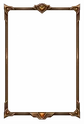 Bronze Bronze | 3 different maps finished |
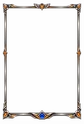 Silver Silver | 7 different maps finished |
 Gold Gold | 14 different maps finished |
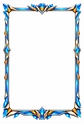 Diamond Diamond | 18 different maps finished |
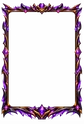 Master Master | 21 different maps finished |
 Legendary Legendary | 24 different maps finished |
Your progress shows on your Profile (tap your name at the top of the lobby).
Playing with friends
Online play (Quick match, rooms and friends) needs your Google account: one tap, and your nickname becomes yours alone. Solo practice works without an account.
In the lobby, + Invite opens your Friends: invite anyone online and they join your team, next to your character. When the team is ready, the leader (👑) taps Play and everyone goes to the room together, where the leader picks the map, the format (race or timed round) and whether the room is open or private.
| Open room | Anyone looking for a match can find your room and join |
| Private room | Only your friends, people who played with you recently or who have the invite link can join |
| Remove someone | The leader taps the person's ⋯ (or the teammate, in the lobby) and removes them |
Quick match and ghosts
In Quick match, the game looks for a room that is filling up; if there is none, it opens one and shows who is arriving (1/4, 2/4…). With two or more, the race starts in 10 seconds. If nobody shows up within 1 minute, the top 3 ghosts of the map's leaderboard race with you, under the nickname of whoever set the time. Solo practice works even offline.
Characters, knives, trails and sprays
Everything is cosmetic: nothing changes the race. The four buttons in the corner of the lobby — Character, Spray, Knife and Trail — hold what you already own. Whatever you don't own yet is in the Shop, where you can see each item in 3D (the knife in hand too), the trail in motion and the character running before buying.
Vectors: the game's currency
 You earn Vectors by running, with your Google account connected, and they buy
any item in the shop — each item shows its price in money and in Vectors.
You earn Vectors by running, with your Google account connected, and they buy
any item in the shop — each item shows its price in money and in Vectors.
| Solo practice | For each finished map: 1 on easy, 2 on medium, 3 on hard and 4 on extreme |
| Online race | With two or more players: 3 for 1st place and 2 for 2nd. Alone (or only with ghosts) it counts as solo practice |
| Daily cap | Up to 40 Vectors per day; the day turns at midnight, Brasília time |
| Prices | From 100 Vectors; pricier items cost more, in the same proportion as their money price |
The balance stays in your account and works on any device. Vectors cannot be bought or transferred: you only earn them by playing.
Leaderboard, challenge and replays
| Leaderboard | The best times on each map (mobile and computer kept apart). In the app, swipe the map picture to see another map's leaderboard |
| Watch | The ▶ next to a time plays the recorded run; from there you can make a clip |
| Beat my time | Sends a link with your time for someone to try to beat |
Settings worth changing
| Mouse | low sensitivity helps with the short, continuous bhop turn |
| Auto-bhop | on, holding Space is enough. Off, every jump is a well-timed press |
| Ghost | turn it off if you prefer to run alone |